
AI assistants are becoming part of many people's daily workflow. They help write content, answer questions, and automate repetitive tasks.
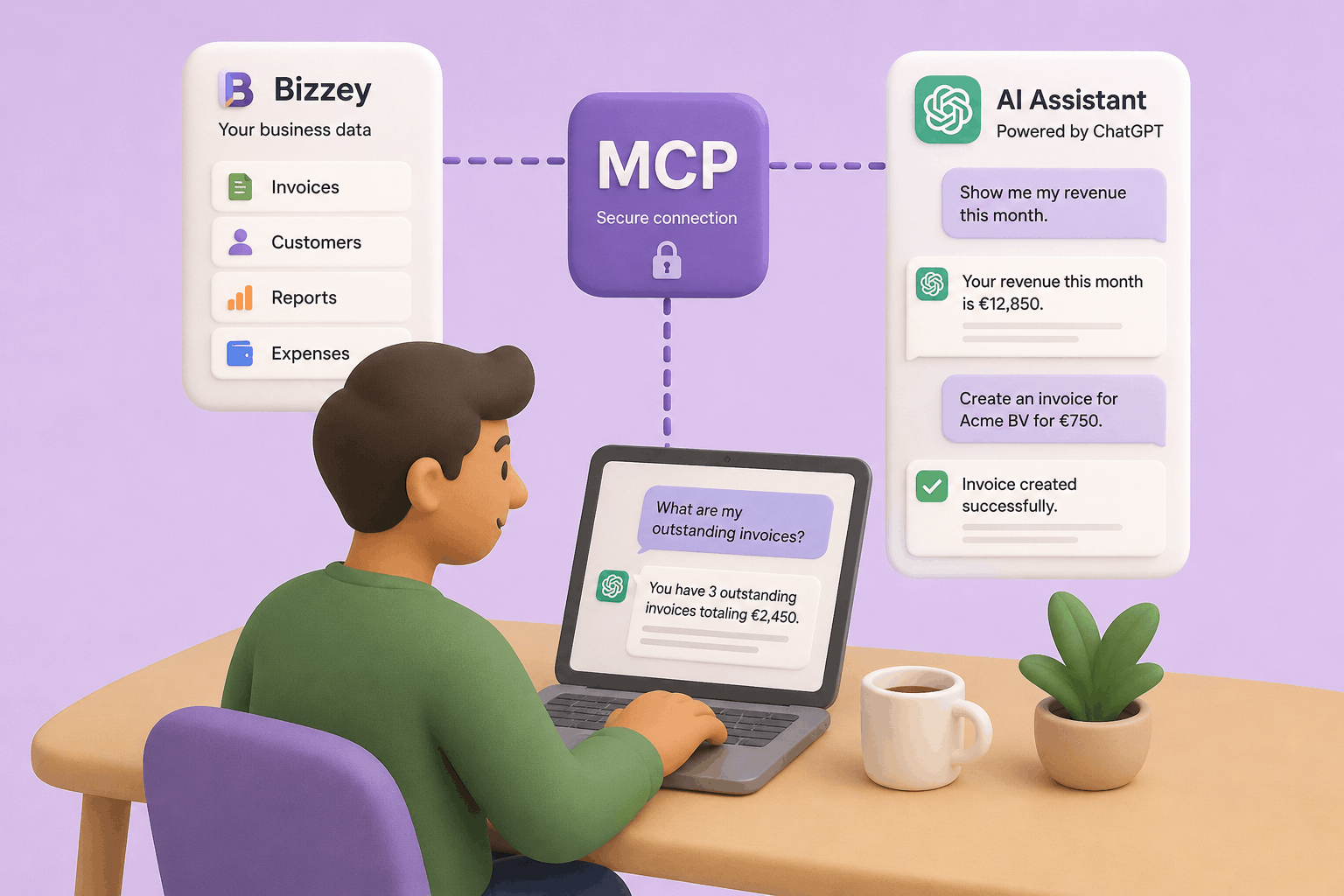
With Bizzey MCP, you can now connect your Bizzey account directly to AI platforms such as ChatGPT and other OpenAI-compatible assistants, allowing them to access and work with your business data.
Connect Bizzey to ChatGPT and Other AI Assistants with Bizzey MCP
AI assistants are becoming part of many people's daily workflow. They help write content, answer questions, and automate repetitive tasks.
With Bizzey MCP, you can now connect your Bizzey account directly to AI platforms such as ChatGPT and other OpenAI-compatible assistants, allowing them to access and work with your business data.
Instead of switching between applications to find information, create invoices, or review reports, you can simply ask your AI assistant to do it for you.
What is Bizzey MCP?
Bizzey MCP is an integration built on the Model Context Protocol (MCP), an emerging standard that allows AI assistants to securely interact with external applications.
Once connected, your AI assistant can access information from your Bizzey account and perform actions on your behalf, depending on the permissions you grant.
This turns your AI assistant into a practical extension of your business software.
What Can You Do with Bizzey MCP?
Access Business Information
Ask questions about your business data without having to manually search through menus or reports.
Examples:
- "What is my revenue this month?"
- "Show me all outstanding invoices."
- "Which invoices are overdue?"
- "How much did I spend on expenses last quarter?"
Manage Invoices
Create and retrieve invoices directly through your AI assistant.
Examples:
- "Create an invoice for Acme BV for €1,250."
- "Show me my latest invoices."
- "Find invoice INV-2026-145."
- "Which invoices were sent this week?"
Work with Customers and Contacts
Quickly access customer information when you need it.
Examples:
- "Show me all customers added this month."
- "Find the contact details for Acme BV."
- "List my top customers by revenue."
Generate Reports and Insights
Use natural language to analyze your business performance.
Examples:
- "Summarize my revenue for the last six months."
- "Compare this month's revenue with last month."
- "Which customers generated the most revenue this year?"
Why Use AI Together with Bizzey?
Business data is often available, but finding the right information still requires navigating through screens, filters, and reports.
Bizzey MCP makes that process more direct.
Instead of searching for information manually, you can simply describe what you need. Your AI assistant retrieves the relevant information from Bizzey and presents it in a clear and understandable way.
For many day-to-day tasks, this can save time and make business information more accessible.
Security and Control
Bizzey MCP uses secure authentication and only provides access to the data and actions you explicitly authorize.
Your business data remains stored in Bizzey, while the AI assistant receives only the information required to answer your request or perform an action.
You remain in control of the connection and the permissions granted.
Getting Started
Connecting Bizzey to your AI assistant takes only a few minutes:
- Open ChatGPT settings on web
- Add the Bizzey MCP integration by configuring the connection parameter to: https://mcp.bizzey.com
- Sign in with your Bizzey account and authorize access.
- Start interacting with your business data using natural language.
A More Natural Way to Use Business Software
Bizzey MCP is designed to make working with your business data easier. Whether you're checking outstanding invoices, creating new documents, reviewing financial performance, or looking up customer information, you can do it directly from the AI tools you already use.
Rather than replacing Bizzey, MCP provides a new way to interact with it—using conversation instead of navigation.
It's a simple but powerful step toward more efficient business management.


