iOS
-
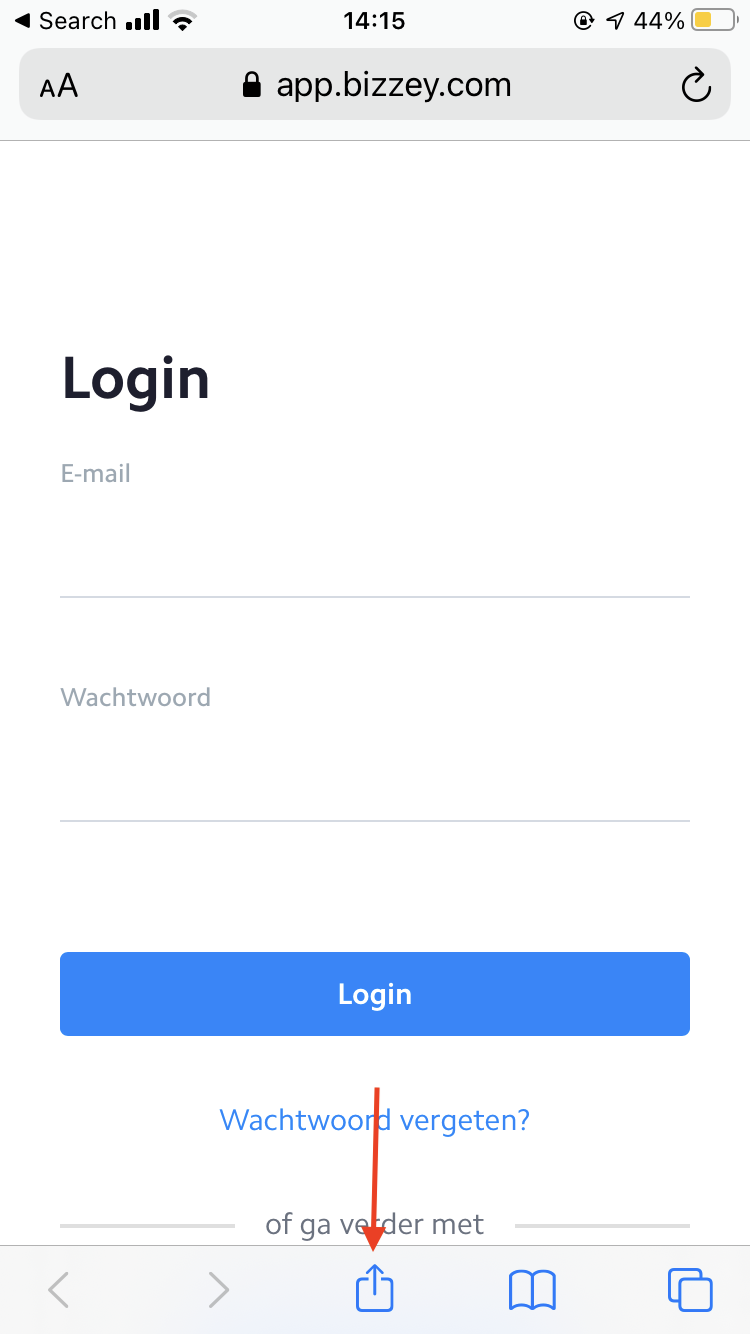
Open safari on iOS and navigate to https://app.bizzey.com.
-
Press the the share button at the bottom of your page.
-
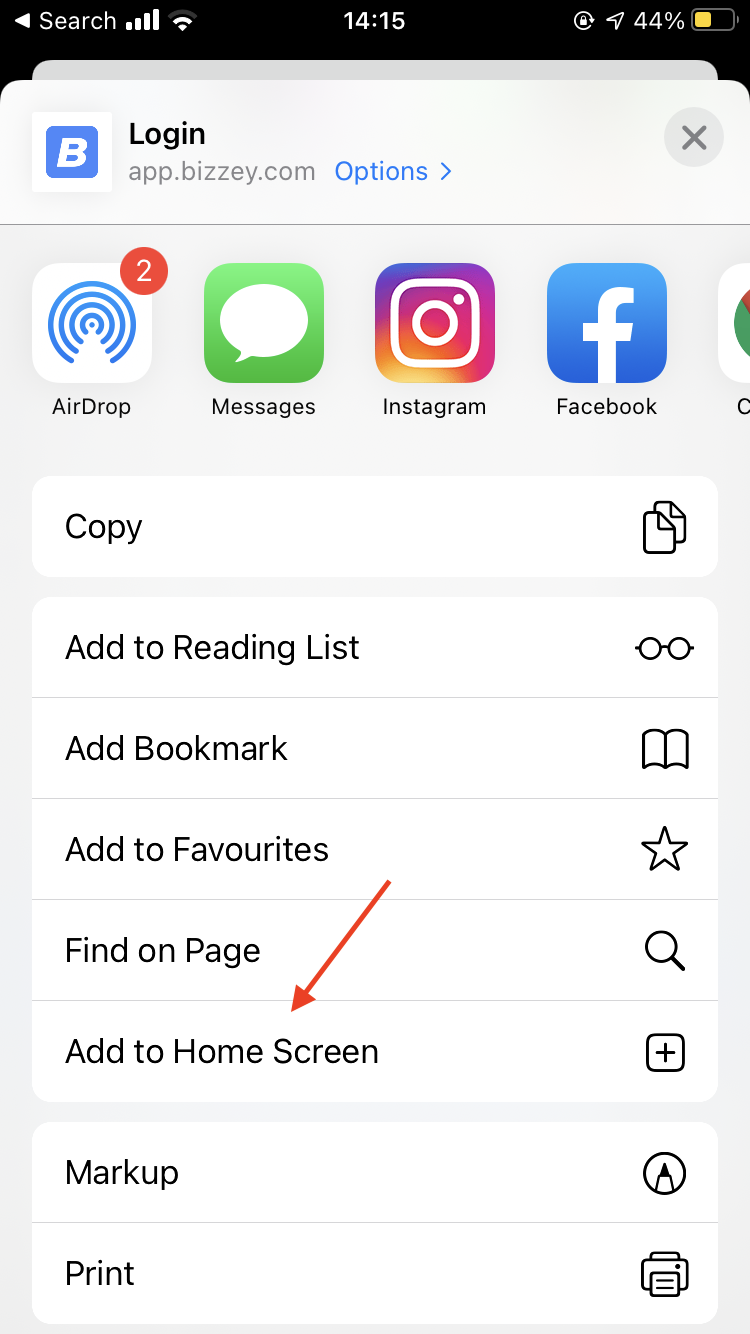
Scroll down until you see the option "Add to Home Screen"
- Installation complete
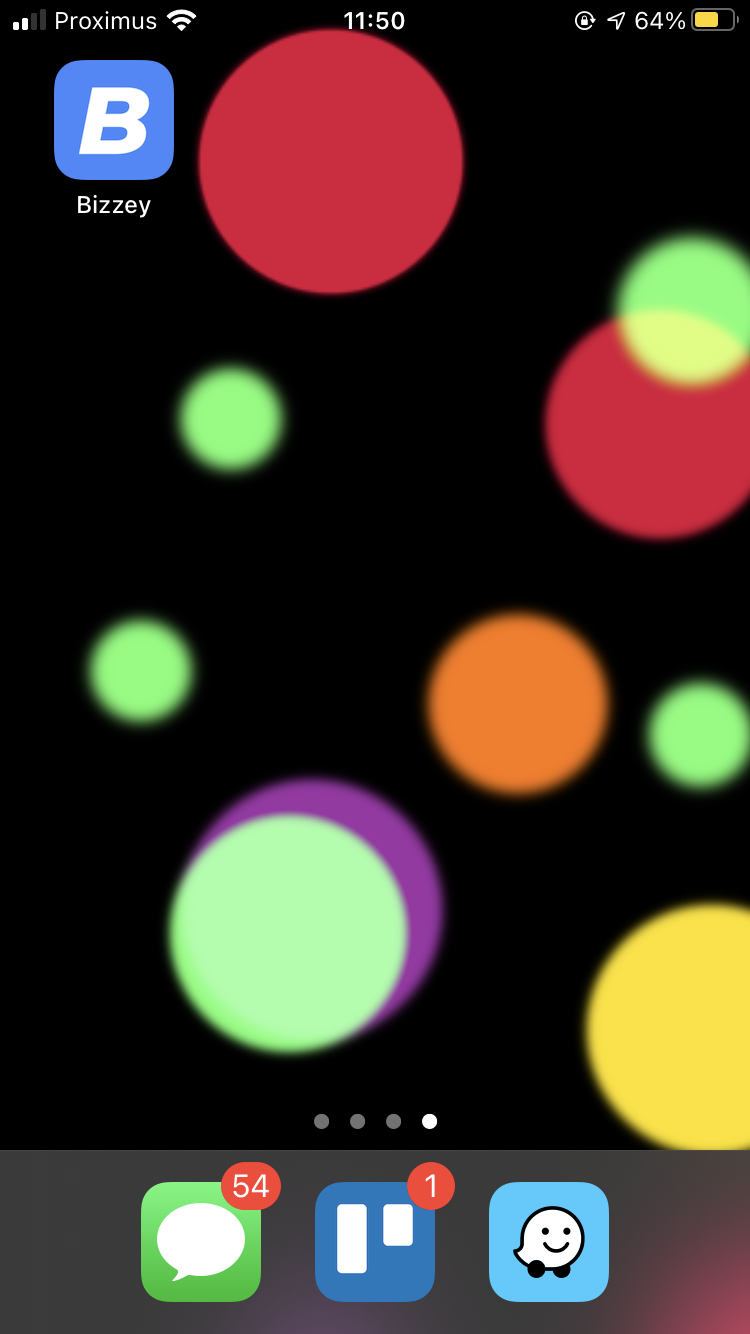
If you navigate back to your homescreen you'll see the Bizzey app being installed.
Android
-
Open your favorite browser on Android en navigate to https://app.bizzey.com.
-
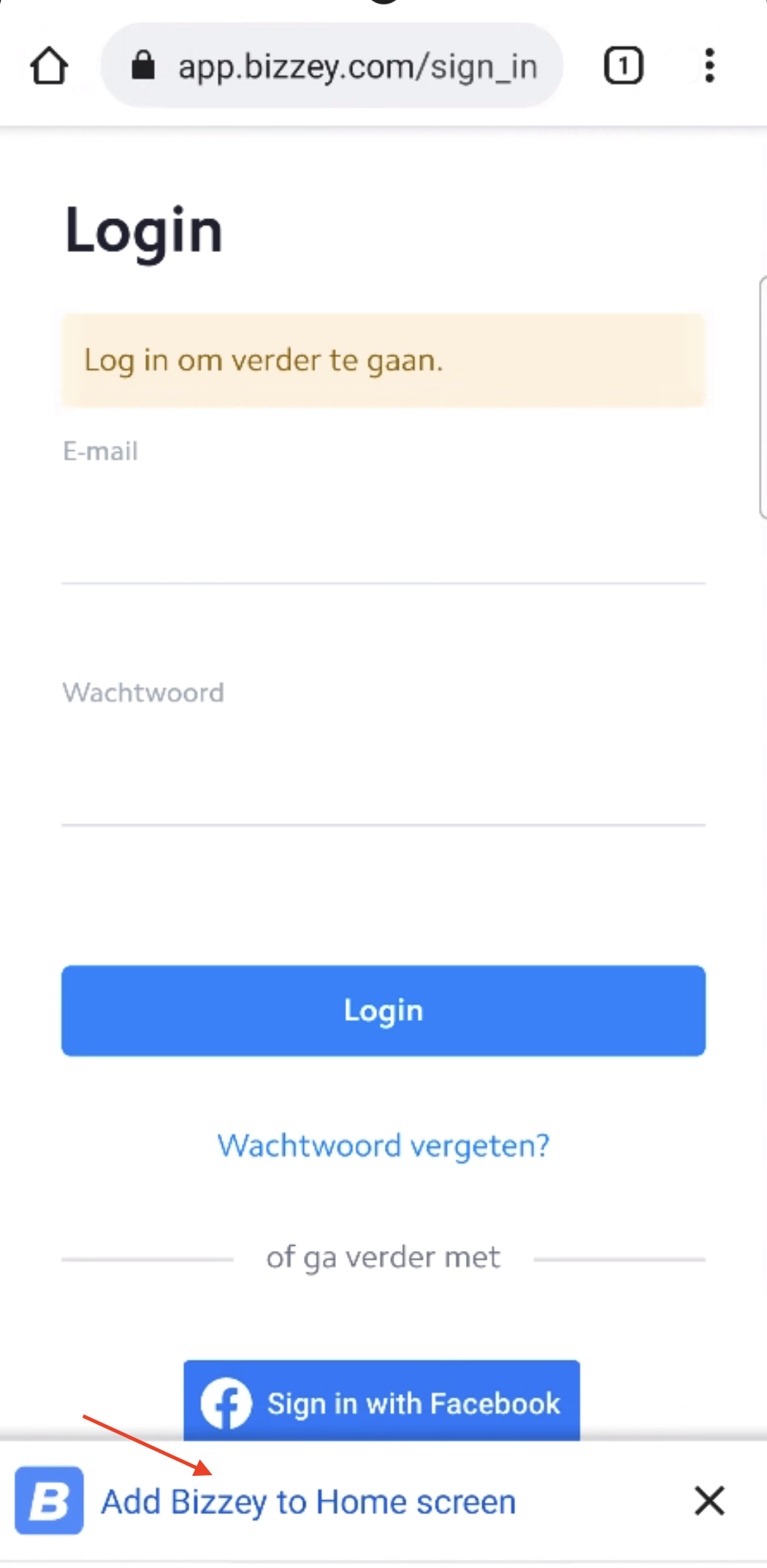
At the bottom of page press Add Bizzey to Home screen.
-
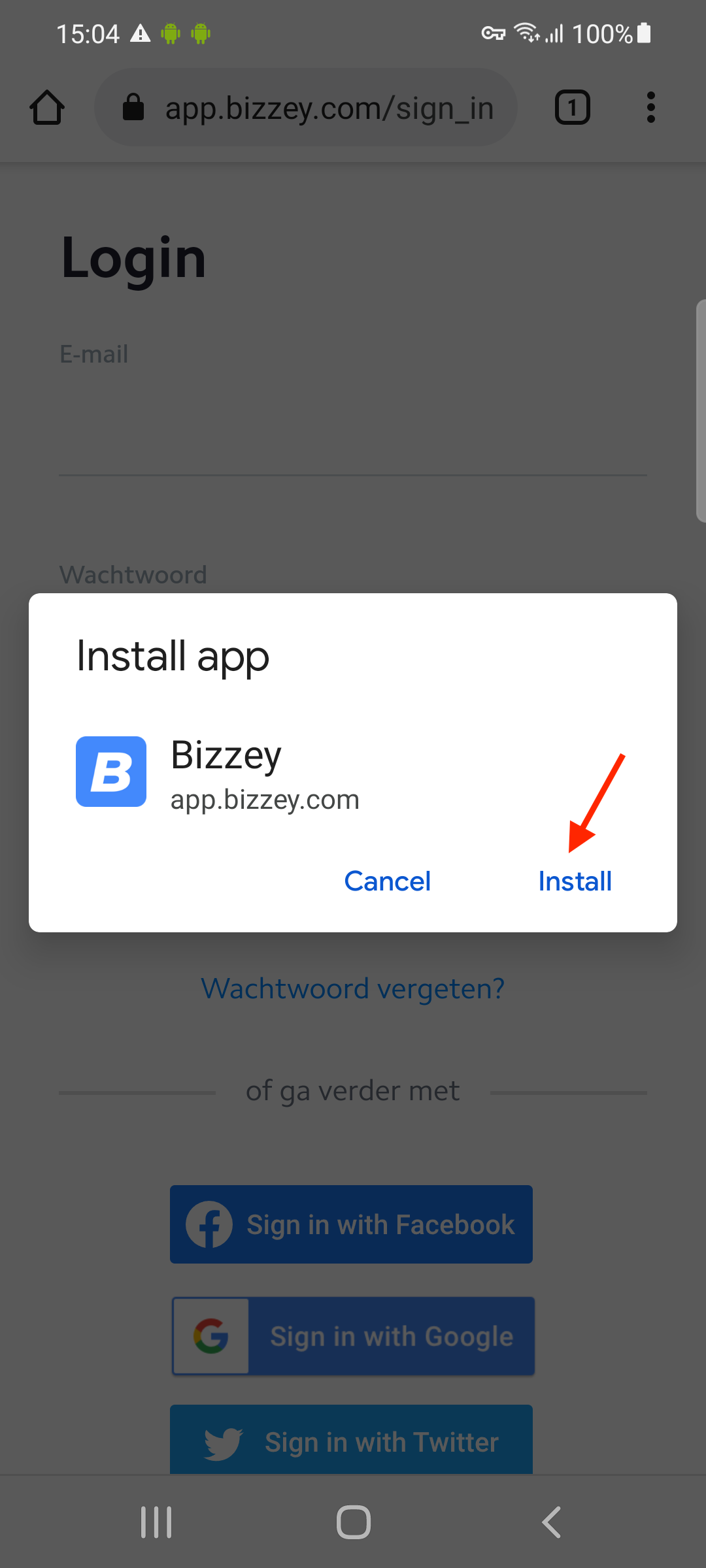
Confirm installation
-
Installation complete
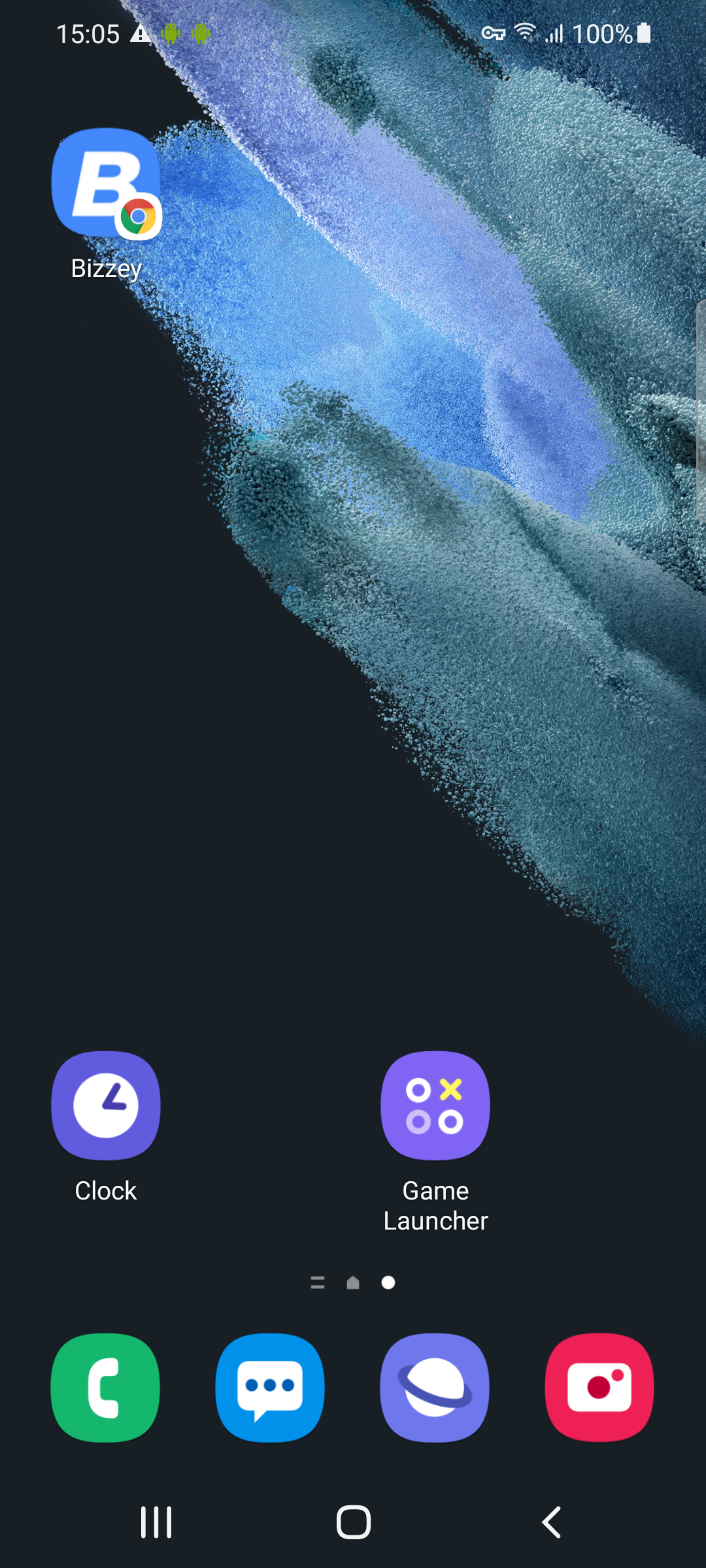
If you navigate back to your homescreen you'll see the Bizzey app being installed.